Key Takeaways
- AI is Changing the Game: Google’s AI Overviews (AIO) now appear in about 47% of search results, often giving users the answer directly so they don’t need to click your link.
- Plateaus are Natural: Every website eventually reaches an “equilibrium point” where the growth from new content is canceled out by the natural decline of older pages.
- Technical Issues vs. Algorithm Updates: A sudden “drop” is usually a technical error or a manual penalty, while a “plateau” or “slow decline” is often due to outdated content or a shift in Google’s ranking priorities.
Seeing your traffic numbers go down is a scary feeling. You’ve put in the work, but the charts are pointing the wrong way.
Understanding why your traffic is dropping is the first step to winning it back. Whether it’s a sudden crash or a slow stall, there is always a logical reason and a way to fix it.
The Three Types of Traffic Trouble
Before we dive in, we need to know what kind of problem you have. Not all traffic losses are the same.
| Traffic Pattern | What It Looks Like | Likely Cause |
| The Plateau | A flat line that refuses to go up. | Reaching market ceiling or slowing down content. |
| The Steady Decline | A slow, painful slide over months. | Content getting old or competitors getting better. |
| The Sudden Drop | An “inverted spike” where traffic falls overnight. | Technical errors, Google updates, or penalties. |
1. The Rise of AI Overviews and “Zero-Click” Search
Organic traffic is dropping for many because Google’s AI Overviews (AIO) now provide answers directly on the search page, removing the need for users to click through to your website.
Google is an advertising company first. They want to keep users on their own pages to show them ads. With AI Overviews appearing in nearly half of all searches, “informational” articles (like “what is…”) are seeing a massive drop in clicks.
How to Fight Back Against AI
You can’t stop AI, but you can optimize for it. Focus on “visit-website intent” keywords. These are topics where a user needs to see a full page, like a deep-dive tutorial or a tool.
For your images, use Promptingimage.com to create highly descriptive prompts that help AI understand exactly what your visuals represent. This increases your chances of being cited as a source in an AI summary.
2. Technical SEO Nightmares
Sudden traffic drops are often caused by technical errors like accidental “noindex” tags, broken redirects, or server issues that prevent Google from crawling your site.
Think of SEO like organizing a massive library. If you lock the front door (a technical error) or hide the index cards (broken sitemap), no one can find the books, no matter how good they are.
Common Technical Red Flags
- Accidental Blocking: A developer might leave a “noindex” tag on after a site update, telling Google to ignore your whole site.
- Slow Site Speed: If your site takes more than 3 seconds to load, users (and Google) will leave.
- Broken Redirects: If you changed your URLs but didn’t tell Google where the old ones went, you lose all your “link juice”.
| Technical Issue | How to Check | Quick Fix |
| Indexing Errors | Google Search Console (GSC) Coverage Report. | Remove “noindex” tags from live pages. |
| Slow Loading | Google PageSpeed Insights. | Use imagebulking.com to shrink image sizes without losing quality. |
| Mobile Issues | GSC Mobile Usability Report. | Ensure your mobile and desktop content match exactly. |
3. Your Content Has Reached “Equilibrium”
Every website reaches an equilibrium point where the traffic gains from new pages are canceled out by the natural traffic decay of your older pages.
Content has a lifecycle. After the initial growth phase, a page eventually hits a plateau because it has captured most of the keywords it can rank for. Over time, interest in that topic may fade, or newer, better articles might take your spot.
The “Foot Off the Gas” Problem
If you stop publishing or refreshing content, your site will eventually drift downward. You need a consistent “cadence” to keep growing.
To speed up your content creation, especially when moving stores or sites, use the Instant Product Importer. It saves you the manual headache of moving product data so you can focus on writing better content.
4. Google Algorithm Updates and Manual Actions
Google updates its ranking systems frequently to prioritize high-quality, human-first content, which can cause sites using outdated or low-quality tactics to lose visibility.
If your traffic drop matches a specific date when Google announced an update, you were likely “hit” by an algorithmic shift. This isn’t a penalty; it just means Google found other sites it likes more for those specific searches.
Algorithmic vs. Manual Actions
- Algorithmic Shift: Happens automatically. You won’t get a notification. You just need to improve your content quality.
- Manual Action: A human at Google decided your site violated their rules (like spammy links). You will see a notification in Google Search Console.
| Action Type | Notification? | Recovery Time |
| Algorithm Update | No. | Months of high-quality updates. |
| Manual Action | Yes (in GSC). | Weeks after you fix the violation and request a review. |
5. Competition and Changing Search Behavior
Sometimes you lose traffic not because you did something wrong, but because your competitors did something better or users changed how they search.
A competitor might have updated their old posts with better data, images, and videos. Or, they might be building stronger backlinks from authority sites.
Furthermore, users are moving to “rented land” like YouTube, LinkedIn, and TikTok. If you aren’t showing up there, you are missing out on where your audience is spending their time.
The Importance of Accessibility
Google loves sites that are easy for everyone to use. Use altgeneratorai.com to automatically create perfect alt text for your images. This helps visually impaired users and also helps Google’s bots understand your images, giving you an edge over competitors who ignore these basics.
6. High-Intent vs. Low-Intent: Why You Shouldn’t Panic
Not all traffic is equal; a drop in “low-intent” traffic (people looking for quick tips) rarely affects your actual sales or revenue.
If you have a blog post from five years ago that gets thousands of hits but zero sales, losing that traffic doesn’t matter. You should filter your reports to see your “money pages” (service pages and product pages) separately from your blog posts.
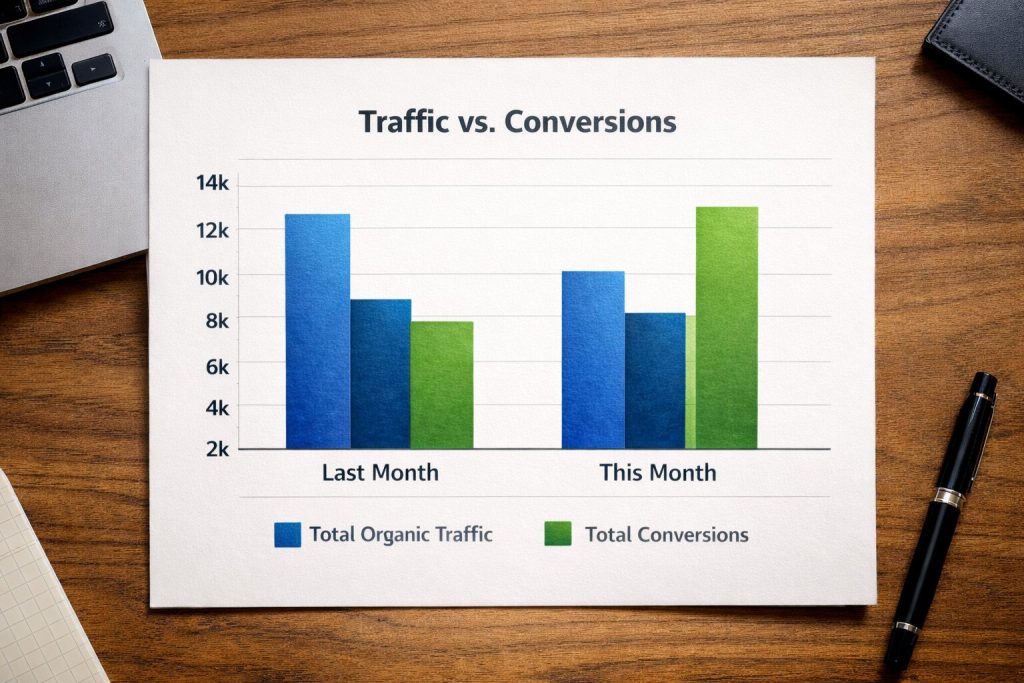
Chart Description: A bar graph showing “Total Organic Traffic” vs “Total Conversions.” While the traffic bar might be shorter this month, the conversion bar should ideally remain steady or grow. This visualization helps stakeholders understand that quality of traffic matters more than quantity.
7. The Ultimate Traffic Recovery Roadmap
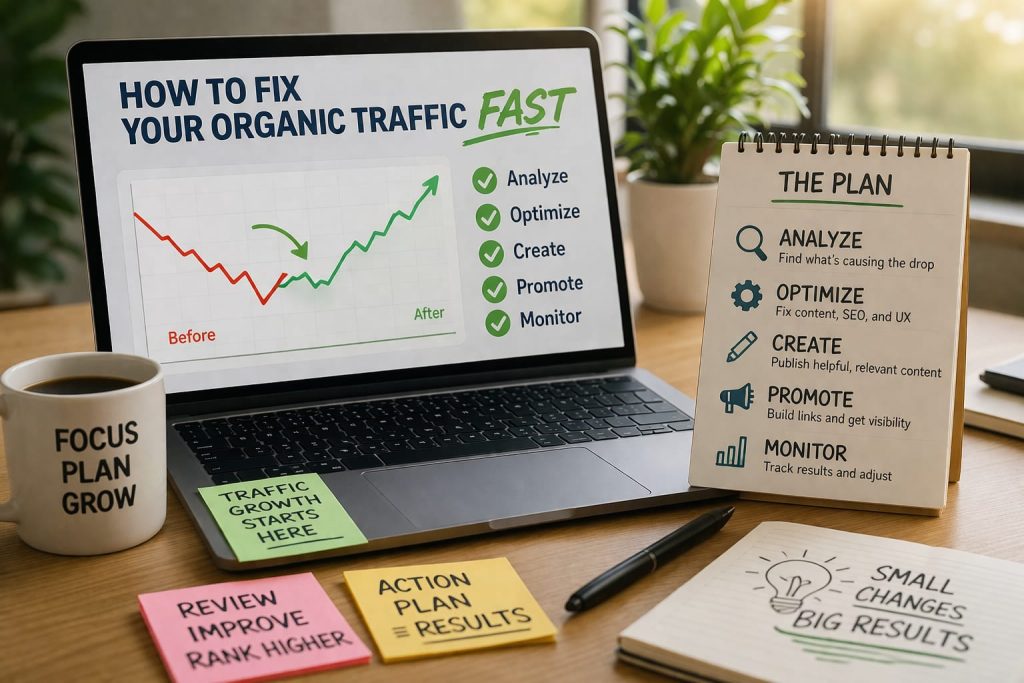
If you are ready to get your traffic back, follow these steps in order.
- Check for Technical “Bloobers”: Open Google Search Console and look for manual actions or crawl errors.
- Audit Your Content: Identify which specific pages lost traffic.
- Refresh the “Winners”: Take your high-traffic pages and update them with new data, better images, and updated FAQs.
- Optimize for AI: Use clear headings (H2/H3) and answer questions directly in the first sentence of your sections.
- Build Authority: Reach out to relevant sites to earn quality backlinks.
Technical FAQ
Q: How long does it take to recover traffic after a Google update? A: It usually takes several months of consistent effort. You have to prove to Google that your site is now high-quality and trustworthy.
Q: Can I get my traffic back if I accidentally deleted a page? A: Yes. If you bring the page back or set up a “301 redirect” to a similar page, you can often recover much of the lost ranking power.
Q: Why does my traffic look different in Google Analytics vs. Search Console? A: This is often due to tracking glitches or cookie consent. Many users block tracking cookies, meaning Google Analytics might underreport your traffic by 20% or more.